


QuadVista DriveCam helps you document unexpected incidents without scrambling for your phone or relying on memory.
187
Reviews
QuadVista DriveCam
QuadVista DriveCam
Regular price
Rs. 2,600.00 INR
Regular price
Sale price
Rs. 2,600.00 INR
Unit price
per
Translation missing: en.products.product.include_taxes



4.8/5 from everyday drivers who wanted real proof on the road
QuadVista DriveCam turns every drive into a protected, crystal-clear record—so you’re never stuck arguing what happened. Capture sharp footage day or night, keep key moments saved automatically, and drive with the quiet confidence of having your own reliable witness. It’s the upgrade your car deserves when “just in case” becomes “handled.”
Sharp day/night video
Hands-free auto recording
Fast, simple setup

See the road clearly—even when the light is bad
Balanced exposure helps details stay readable at night.

Your footage stays protected when it matters most
Auto-save behavior helps preserve key driving moments.

Set it once, then forget it
Starts recording automatically so you don’t have to.
Drive calmer with a reliable witness on board
Premium look, practical protection—every single day
A sleek, modern dash setup that adds security without cluttering your windshield.


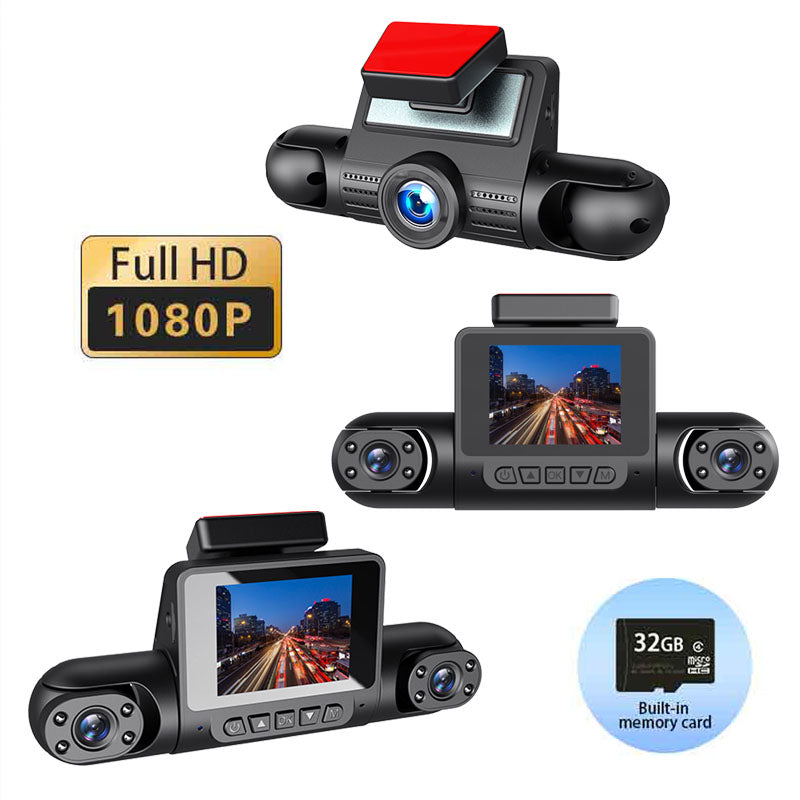
The smarter way to protect your time, money, and car
QuadVista DriveCam captures the moments you can’t predict—so you’re ready when it counts.
Confidence in disputes
Clear footage helps support your side of the story.

Better night visibility
Balanced low-light capture keeps scenes easy to recognize.


Always-on convenience
Automatic recording means no buttons, no missed moments.

Clean, modern setup
Sleek design keeps your dashboard looking premium.
4.8/5
Average rating from drivers upgrading older dash cams.
10 min
Typical setup time with a clean, simple mount.
24/7
Peace of mind knowing your drive is documented.
1 tap
Easy playback to review moments when you need them.
Why drivers are upgrading to QuadVista DriveCam
Real-world benefits that matter on busy roads.
Secure YoursHigh demand this week—restocks can sell out quickly.
QuadVista DriveCam vs. basic dash cams
Not all dash cams deliver usable footage when conditions get tough—QuadVista is built for clarity and confidence.
| Clarity | Night | Auto | Reliability | Design | |
|---|---|---|---|---|---|
Your Brand |
|||||
OTHER BRANDS |
Your Brand |
OTHER BRANDS |
|
|---|---|---|
| Clarity | ||
| Night | ||
| Auto | ||
| Reliability | ||
| Design |

From “I think” to “Here’s what happened” in seconds
When something unexpected happens, QuadVista DriveCam helps you pull up clear footage fast—so you can act confidently, not guess.
Top Pick
Drive protected—or send it back
Try QuadVista DriveCam risk-free and feel the difference.
Fast shipping
Secure checkout
Easy returns
Support included
Buy Now
Return policy applies; keep original packaging for fastest processing.
FAQ
Questions before you hit “Buy”
Quick answers to common DriveCam concerns.
Is QuadVista DriveCam hard to install?
No—most drivers mount it and power it in about 10 minutes. Once installed, it’s designed to start recording automatically.
Will it record clearly at night or in rain?
It’s built to handle challenging lighting with balanced exposure for better visibility. For best results, keep your windshield clean and the lens unobstructed.
Do I have to press record every time I drive?
No—QuadVista DriveCam is made for hands-free convenience. It’s designed to begin recording when you start your drive.
How do I review or share the footage?
You can access your recordings for quick playback when you need them. Sharing key clips is straightforward once you’ve located the moment.
Is this a good choice if I already own a dash cam?
Yes—many customers upgrade for cleaner video and a more reliable daily experience. If your current footage is blurry or inconsistent, QuadVista is a noticeable step up.